Insight Beyond Eyesight · iPhone and iPad app
Insight Limmudלימוד
Torah learning built for a braille display first — not a reading app with accessibility added afterwards.
Texts from Sefaria. No accounts, no analytics, no tracking.
Three things that make learning on a braille display hard
These are the reasons it was built.
01
Reaching a meforesh takes a dozen commands
Getting from a line of gemara to Rashi on that line means raising a panel, jumping to the end of it, then walking back up a list. Here the paragraph itself is the control.
02
Panning forward never reaches an end
An infinite scroll keeps loading the rest of the sefer, so “pan to the bottom” stops meaning anything. Here the screen holds exactly one section, and it ends.
03
A phone call throws away your place
Your spot is recorded on every move and written to storage the moment the app goes to the background. Come back and the cursor is where you left it.
One chord, and the paragraph becomes Rashi
Press Dots 3-6 + Space and the paragraph you are reading is replaced, in place, by the next layer in your cycle.
Your braille cursor does not move. No panel opens, nothing is announced from the top, and you never lose the line you were on.
A cycle on Gemara
- Gemara
- Rashi
- Tosafot
- Translation
Cycles are yours to build — any sefer, any meforshim, in any order. Gemara can cycle through Rashi and Tosafot while Chumash cycles through Rashi, Onkelos and Ramban; each sefer, or a whole group of them, can have its own. Nine of them sit on slots 1–9, reachable from the preset bar, a braille keyboard’s number keys, or a rotor.
Tapping the paragraph does the same as the chord, and Dots 1-2 + Space brings the text straight back. In Settings you choose whether a chord brings one comment at a time, or all of Rashi on a passuk in one piece.
What it looks like
Four screens, each described in words as well as shown. The app is the same on iPhone and iPad; the iPad simply has more room.
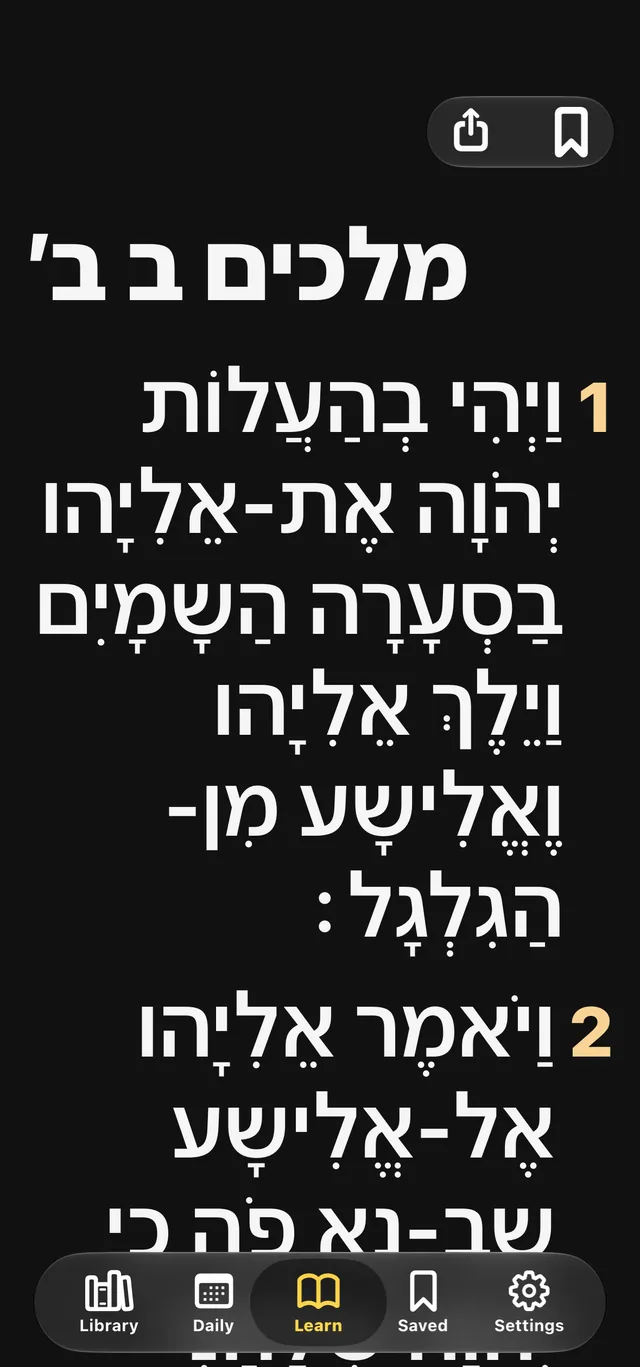
Learn any sefer on your braille display. One perek, numbered paragraphs, with the nikud if you want it. 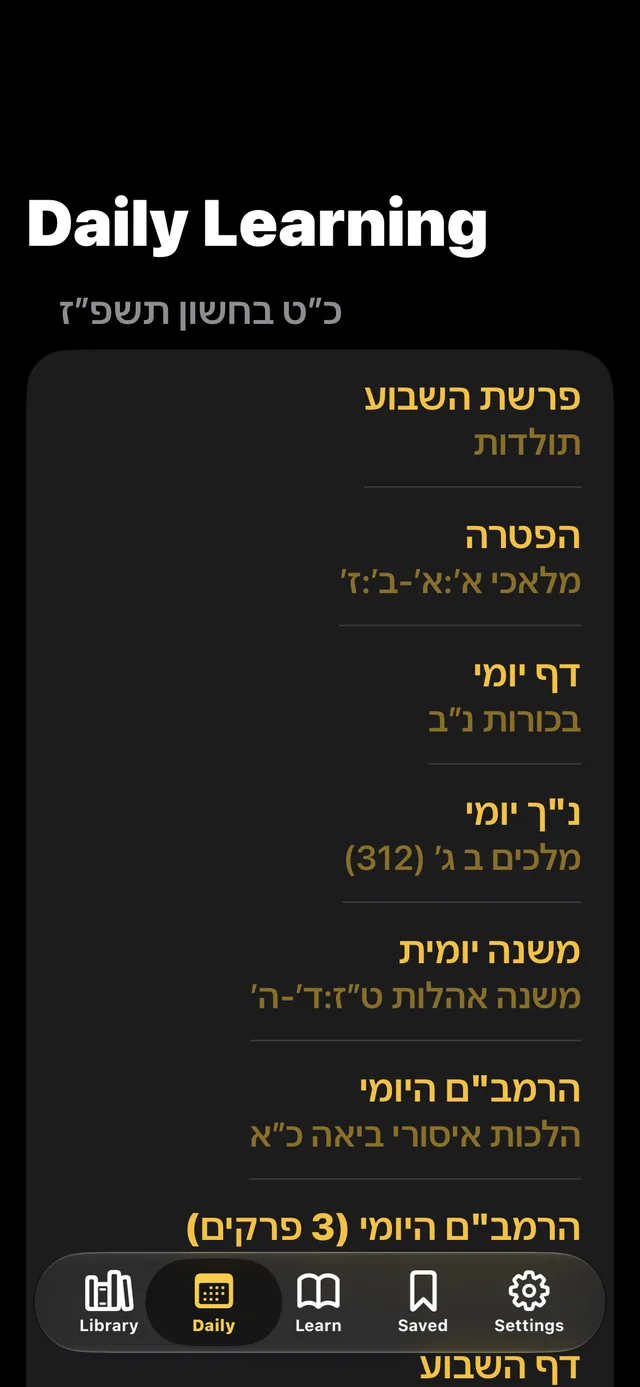
Daf Yomi and every other daily cycle, today's portion one tap away — named in Hebrew or English, your choice. 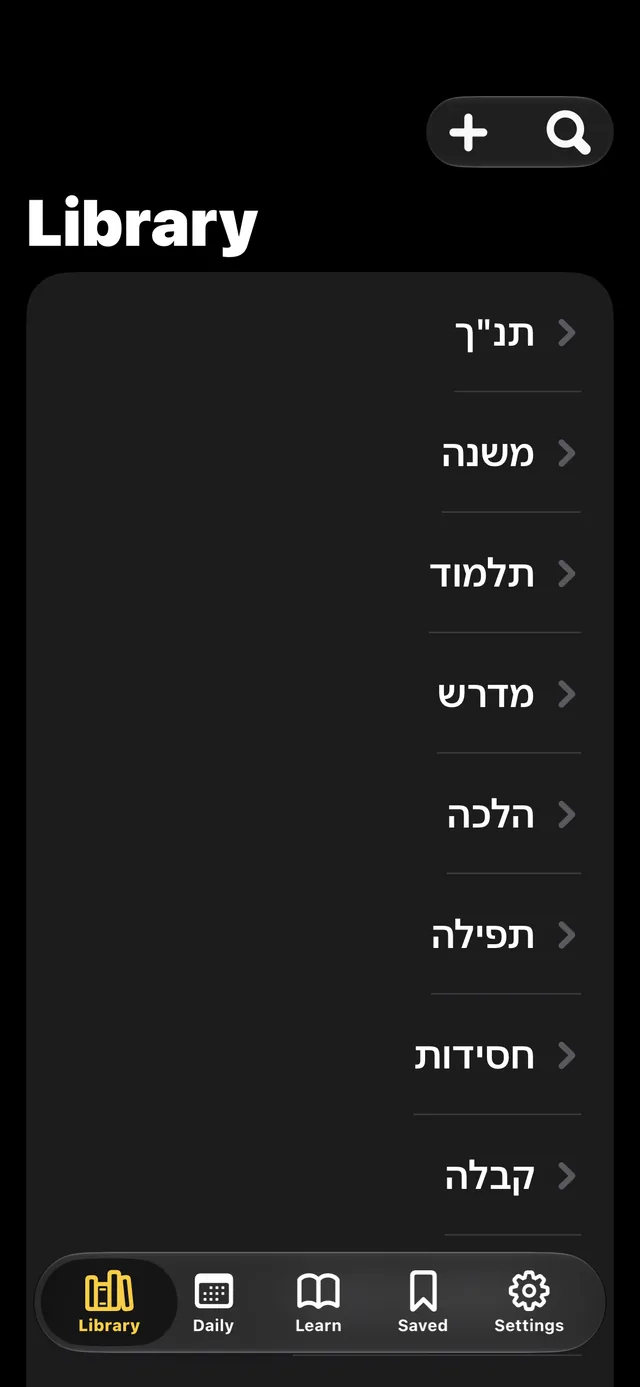
Tanakh, Shas and the rest in one list, with a plus button to add a sefer of your own. 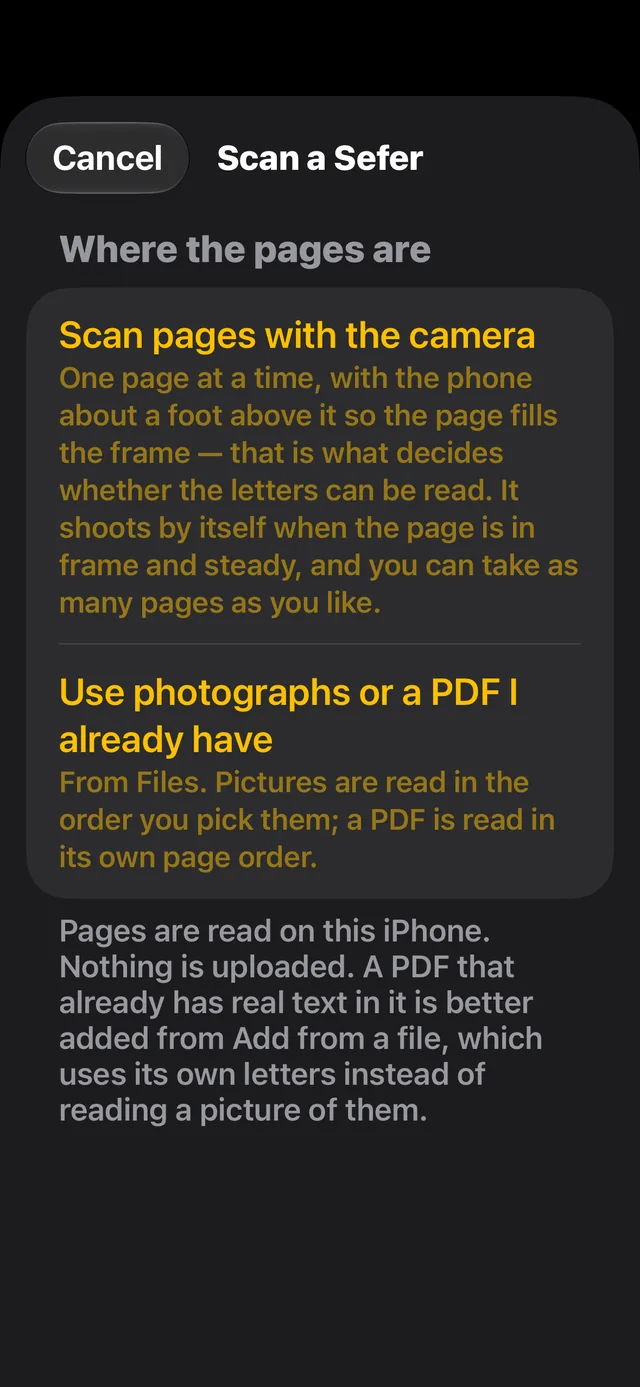
Photograph a sefer and read it in braille. The reading happens on the phone.
One daf. One perek. One siman. Then a real end.
Every section closes with Next and Previous buttons and a spoken marker — “End of Berakhot 2a. 14 paragraphs.” — so you always know where the text stops and how much of it there was.
- Two language settings, never mixed up One picks the menus — English or Hebrew — the other picks which version of the sefer is the main layer. Hebrew gemara inside an English interface is the normal case, not a workaround, and the other language becomes the translation layer in your cycle.
- Hebrew pointing under your control Full nikud and ta’amim, nikud only (the vowels and nothing else, unless you ask to keep the dagesh and shin dots), or plain letters. Dropping the pointing takes Bereishis 1:1 from 31 characters to 17, nearly halving what the braille table has to render.
- Type that scales independently Dynamic Type throughout, plus a separate Hebrew and Latin multiplier up to 4×, and five themes including true black and black on white.
A page that is not in the library
Add a sefer of your own from a file, from a PDF, or by photographing the pages with the camera. The Hebrew, Yiddish or Rashi-script text on them is read into your library and learned like any other sefer.
The reading happens on your own iPhone or iPad. No photograph and no text leaves the device, and it works with no signal at all.
Hebrew and English on the same page are read as both, not as one: how the Hebrew OCR works, and how accurate it is.
- It works out what is printed You say whether the page is Hebrew, Yiddish or Rashi script; the app reads it several ways, compares the results, and keeps the best. It notices English words on a Hebrew page, and says so plainly when the pointing may be incomplete and what fixes it.
- Yours to manage Remove, rename or move anything in the library — a category, a sefer, a single perek — by a swipe, a long press or VoiceOver’s Actions rotor. Nothing is deleted: Put back what I removed restores it. The seforim you added are your own files and can be deleted for good.
Finding it, keeping it, taking it out
- The libraryChumash, Nevi’im, Ketuvim, Mishnah, Gemara, Shulchan Arukh, Rambam and the meforshim on them. Pick a category, then a sefer, then a section — the full table of contents, down to the siman.
- All 15 daily limmudimDaf Yomi, parsha and haftarah, Mishnah Yomi, Daily Rambam and the rest, with today’s learning one tap from opening. A setting chooses the parsha schedule inside or outside Israel.
- Bookmarks and resumeMark a place to come back to, or pick up exactly where you stopped. Your spot is saved on every move, so a phone call does not lose it.
- Offline downloadsDownload a masechta or sefer and learn it with no connection at all, or let the app keep the texts you open.
- ExportTake any sefer, or the page you are on, out as a Word document, a PDF or plain text through the share sheet. Choose the chapters, keep or drop the nikud, number the paragraphs or not. The Word file has real headings and marks Hebrew as right-to-left; the PDF has selectable Hebrew but no heading structure, and the export screen says so.
- Share a sefer as a fileA sefer can be saved as an
.ibefile, sent to another person and imported with its chapters intact. The format is a plain text file anyone can write: how an .ibe file is built. - Learning presetsChumash, Gemara, Halacha, Mishnah, Nach, Rambam — ready on first launch, and yours to change.
Built around the displays our members actually use
The app adapts to the display in your hands — its cell count, its keyboard, and only the shortcuts that hardware can really send.
- Focus 14
- Focus 40
- Focus 80
- Mantis Q40
Hebrew on an English braille table
Most displays are set to an English table, which has no Hebrew in it, so Hebrew arrives as rubbish. iOS does not tell an app which table you use, so Insight Limmud asks: does Hebrew read on your display? Answer no, and every Hebrew letter is rewritten as the character your English table renders as the same cell — real Hebrew braille, on the display you already have.
The app never changes your braille table or contraction settings. Those stay yours, in VoiceOver. A built-in braille reference shows Hebrew and English letter equivalence.
No accounts. No analytics. No tracking.
There is no third-party code in the app and nothing to sign up for. Texts come from Sefaria, a non-profit, and each version’s licence is shown alongside it.
Get Insight Limmud
Insight Limmud is on the App Store for iPhone and iPad. No account to make, nothing to sign up for.