Hebrew OCR app
Insight Limmud photographs a printed page of Hebrew and turns it into a sefer you can read, search, bookmark and learn from — on an iPhone or iPad, with VoiceOver and a braille display, and with nothing leaving the device.
It reads Hebrew, Yiddish, Rashi script and English, and it reads them on the same page.
Why an app had to bring its own Hebrew OCR
There is no Hebrew text recognition built into iOS. Not in Vision, not in Live Text, not in VoiceOver’s own image recognition — and the document scanner returns photographs only. We checked this directly rather than taking anyone’s word for it, and it was still true when we last looked in November 2026.
So Insight Limmud carries its own recognition models and runs them itself. Four of them ship inside the app:
- Hebrew — square print, pointed or unpointed.
- Yiddish — which is not the same job as Hebrew, even though the alphabet is shared.
- Rashi script — the face a daf sets its meforshim in.
- English — for a title page, a haskamah, a translator’s note, or an English word in the middle of a Hebrew sentence.
They are Apache-2.0 licensed models, so there is no subscription behind them and no account to make.
Nothing is uploaded. Ever.
The recognition happens on your phone. Your first scan works in aeroplane mode, and it works in a beis medrash with no signal.
This is not a privacy policy — it is how the app is built. There is no server to send a page to. The only thing Insight Limmud ever asks this website for is a few kilobytes of settings.
What it looks like
Two screens: choosing what is printed on the page, and the sefer that comes back from it.
-
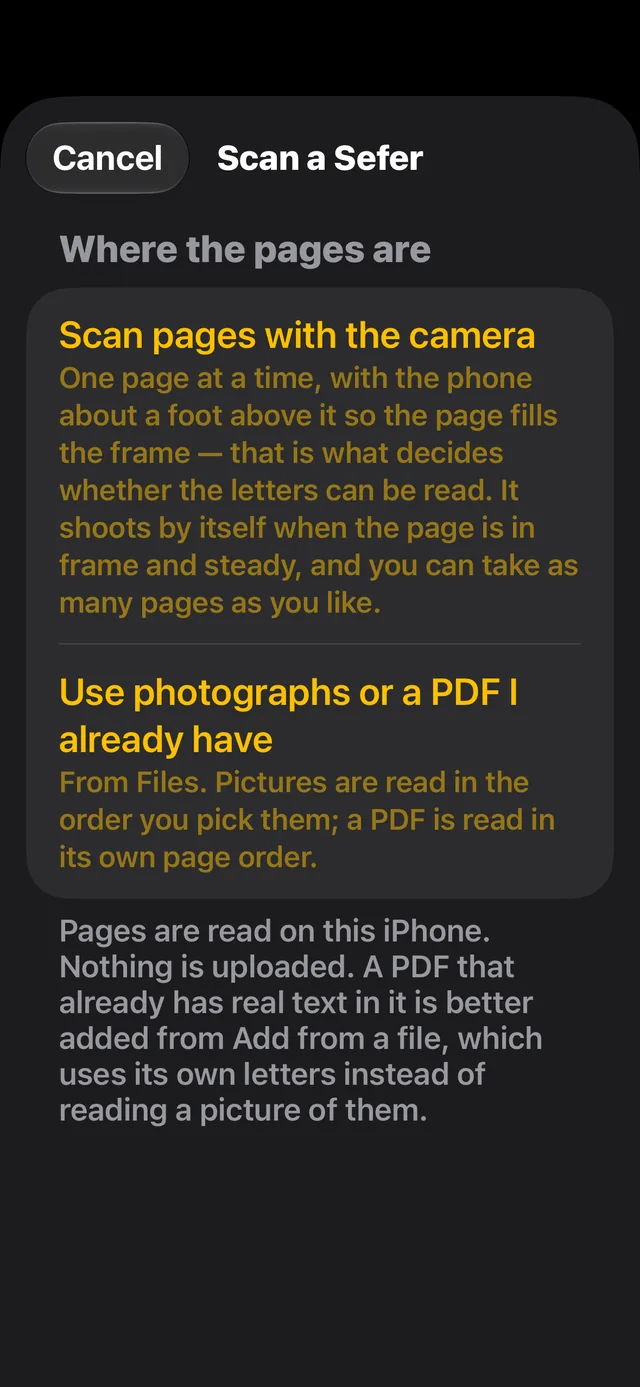
Choosing where the pages come from. The camera shoots by itself when the page is steady. -
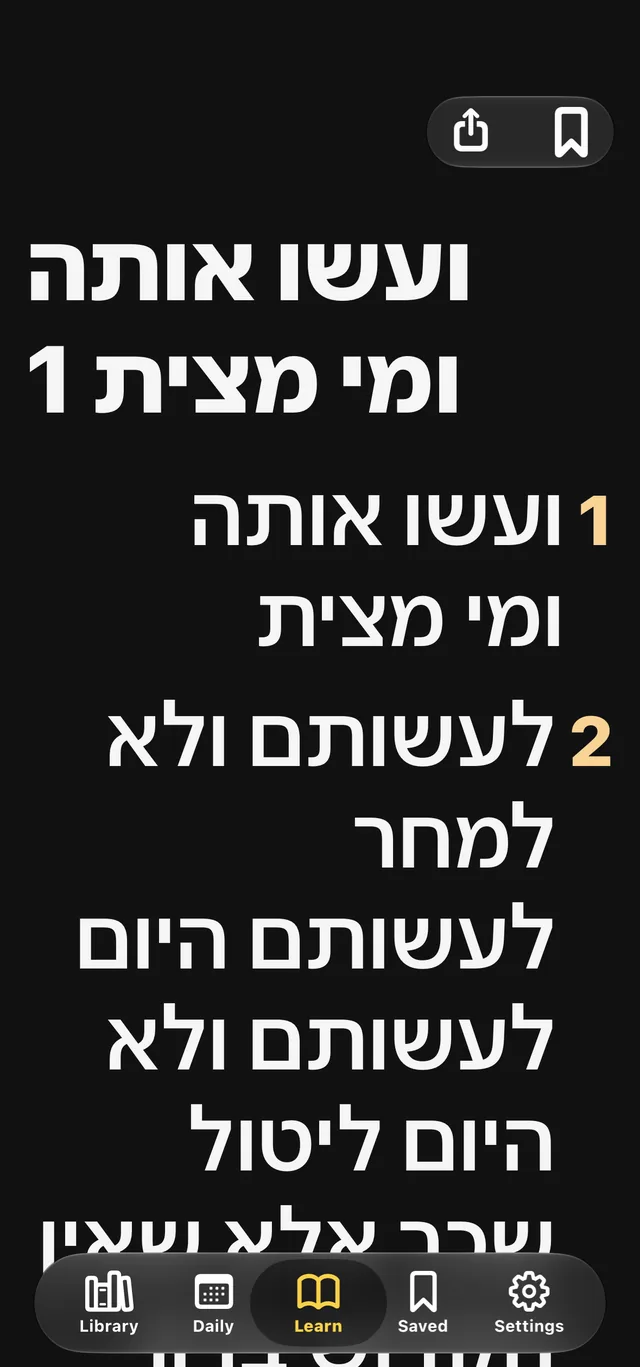
The same pages afterwards — a real sefer, in numbered paragraphs, that VoiceOver and a braille display can move through.
Hebrew and English on one page
A sefer is rarely only one language. There is an English title page, a haskamah, a footnote with a surname in it, a word like WhatsApp or email written straight into a Hebrew sentence. Most recognition treats a page as one language and throws the rest away.
Insight Limmud handles this at three different sizes, because they are genuinely three different problems:
A page that is part Hebrew and part English
Hebrew paragraphs with an English paragraph between them; a Hebrew sefer with an English introduction; facing columns. The app reads the page with both models and compares them line by line, keeping whichever reading of each line is the better reading of that same ink. It does not pick one language for the whole page and hope.
A word with both scripts inside it
Words like הreflection and בmessage — a Hebrew letter joined to an English word — are common in how people actually write, and they defeat a page-level or line-level decision completely. The app notices them specifically: a Hebrew model that returns Hebrew letters mixed with digits is telling you there was ink there it had no character for, and the app treats that as evidence rather than as noise.
English words among English
Where there is a run of English, Apple’s Vision does the reading. Vision has excellent Latin recognition and no Hebrew; our Hebrew models are the other way round. Rather than choose, the app runs both and takes each engine’s answer for the part of the page it can actually see.
Accuracy, and how we measure it
We would rather tell you how this is tested than quote you a number with nothing behind it.
What is measured, and on what
Every threshold in the recognition path is set by measurement on real pages, never chosen by feel. On controlled test pages of Hebrew prose — both clean and deliberately degraded with rotation, blur, speckle, uneven lighting and heavy JPEG compression, to stand in for a photograph taken by hand — the Hebrew model read every word correctly, and produced no Latin characters at all from Hebrew ink. On a page carrying both Hebrew and English paragraphs, reading with both models together scored substantially better than either alone, with both scripts correct.
Those figures come from typeset test pages rather than from photographs of printed seforim, and we say so plainly: a synthetic page flatters any recognition engine. The numbers that matter in the end are the ones from real seforim in real hands, and they come from our testers.
What makes the real difference for a blind reader
Accuracy as a percentage is the wrong measure on its own. A recognition engine always returns something, and on a blurred daf it returns confident nonsense — to the one person who cannot see that it is nonsense. So:
- The app refuses a page it cannot read, and says why and what to do about it. Wrong script, almost no text, a blank sheet of paper — it tells you, instead of importing three sections of nothing.
- It never guesses a letter. It will fix a typewriter quote standing in for a gershayim; it will not invent a letter it is unsure of. Where it is uncertain, it says how many words to check and lets you read them.
- It does not refuse a page merely for being doubtful. A legible page you can check yourself is far more use than a refusal, and being told “too much of this page was uncertain” three times on three readable pages is its own kind of failure.
- It reads the page to decide how to read the page. Enhancement, thresholding, straightening, how the page is divided, and which model to use are all settled by reading a small copy first and scoring what came back — because the app cannot see the page it is holding, and neither can you.
Known limits, stated plainly
- Nikud needs resolution. Pointing stops being reliably distinguishable below roughly twenty pixels of letter height. The app measures your photograph and scales it to suit rather than to a fixed size, but a distant or small photograph of a pointed chumash will lose marks.
- A single English word alone in a page of Hebrew is still the hard case. One word, with no other English near it, can be missed. We are explicit about this because we have measured it rather than assumed it.
- Rashi script is harder than square print, as it is for a human reader.
- A Hebrew letter attached to an English word — the ה of הreflection — may not survive, even when the English word is read correctly.
It produces a sefer, not a wall of text
Recognising the letters is half of it. The other half is the page’s shape, and a sefer’s structure is written in positions on the page.
- Columns, including a three-column daf.
- Running heads, recognised across pages and kept out of the text.
- Headings, which on a modern sefer are body-sized, flush right, and say nothing about themselves — what makes them headings is the space around them.
- Apparatus — notes at the foot of the page, kept at the foot of the page.
- Paragraphs as paragraphs, which is what lets you move through the sefer a piece at a time with a braille display.
The result imports as an ordinary sefer: it goes in your library, it cycles through its meforshim where it has them, you can bookmark a paragraph, and you can export it as a file and send it to somebody else so they never have to photograph that sefer again.
Who it is built for
Insight Beyond Eyesight is an organisation of and for blind and low-vision people, and this app is built to that standard rather than adapted to it afterwards. VoiceOver and braille displays are the primary way it is used, not an accessibility option. The scanning is there because a sefer that exists only in print is a sefer a blind learner cannot open at all.
It is free.